This is a brief overview of how to get started on DMR for already-licensed amateurs here in the USA. This ONLY works for those that are not already registered on RadioID.net anyone else will need to seek help for your specific situation.
- Part 1: Download your Official FCC License (not the reference copy which is publicly available)
- Log into the FCC ULS (Universal License Manager) using your FRN (FCC Registration Number) and password. https://wireless2.fcc.gov/UlsEntry/licManager/login.jsp
- On the left-hand menu, click Download Electronic Authorizations.
- Select your amateur callsign from the list and click Add to move it to the download box.
- Click Download to save the PDF to your device. This PDF must be the version that says “Official Copy”. WAIT for the download to happen. It will take SEVERAL moments for it to download. The site is NOT fast typically. It can take a minute or two for the download to happen – that’s not unusual at all.
Part 2: Request Your DMR ID on RadioID.net website
- Navigate to https://www.RadioID.net and click REGISTER on the upper right.
- Probably need to choose “My Callsign has no existing account or ID record”.
- Enter your callsign and valid email address, password, and check all the boxes that apply. The system will send a verification code to your email.
- Enter the verification code on the site, create a secure password, verify you are not a robot, and finish creating the account.
- Once logged in, navigate to Get DMR ID or the user registration section.
- Fill out your personal details and upload the official FCC license PDF you downloaded in STEP 1 at the start of this list.
- Submit your application. Site administrators typically review and approve this within 1 to 2 business days, after which you will receive your unique DMR ID via email and on the site when you log in.
Part 3: Pick a Network and Sign up for an account
Once your DMR ID is approved, you will need to register it on the one or more DMR provider Networks to manage your radio as well as digital hotspot security code.
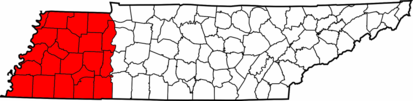
- West TN DMR Network Signup: dmr.KG5A.us/signup
- BrandMeister: https://brandmeister.ntwork
- TGIF https://tgif.network/
- AMCOM: https://amcomm.network/
- DMR MARC: https://www.dmr-marc.net/
- Quad Net: https://www.openquad.net/